
ClearDate vs Calendly
A group scheduling tool for finding a date, not booking a time slot.
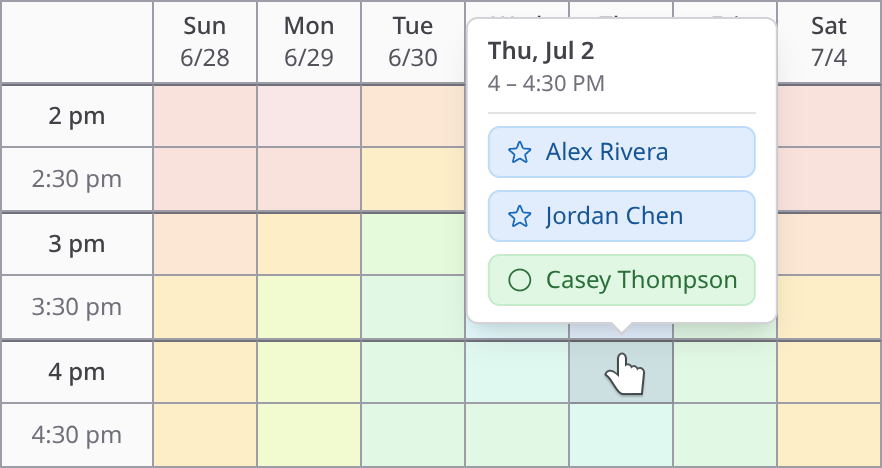
Calendly is excellent at what it does: sharing a booking page so someone can pick a time on your calendar. But when you need a group of people to agree on a date - a dinner, a reunion, a team offsite - a booking page isn't the right tool. Calendly's Meeting Polls feature gets closer, but it's still a basic yes/no vote on times the organizer picked. ClearDate is built from the ground up for the group consensus problem: everyone paints their availability and preferences on a visual grid, and the best option emerges naturally.
Calendly is great for booking - ClearDate is for finding a date
Calendly's core product is a booking page: you share a link, someone picks an available time on your calendar, done. It's streamlined and efficient for 1:1 scheduling - sales calls, consultations, interviews. That's what Calendly is built for, and it does it well.
But group scheduling is a different problem. When you're trying to find a date for a birthday dinner, a planning committee meeting, or a weekend trip, there's no single calendar to book against. Everyone has different constraints, different preferences, and different levels of flexibility. You need a tool that lets the group weigh in - not just pick from your openings.
ClearDate is built for that. Instead of booking a slot on someone's calendar, everyone shares their availability and preferences across the proposed dates. The host sees where the group converges and picks the best option. It's collaborative rather than one-sided.
Express preferences, not just votes
Calendly Meeting Polls let participants vote yes or no on a set of proposed times. It works, but it flattens out all the nuance. There's no way to say "I could do Tuesday but I'd really prefer Thursday" or "Wednesday technically works but it would be a stretch."
ClearDate gives everyone four levels to work with: conflict, maybe, available, and preferred. That extra detail changes the decision. A host choosing between a time that's merely available for everyone and a time that's actively preferred by most of the group is going to make a better call.
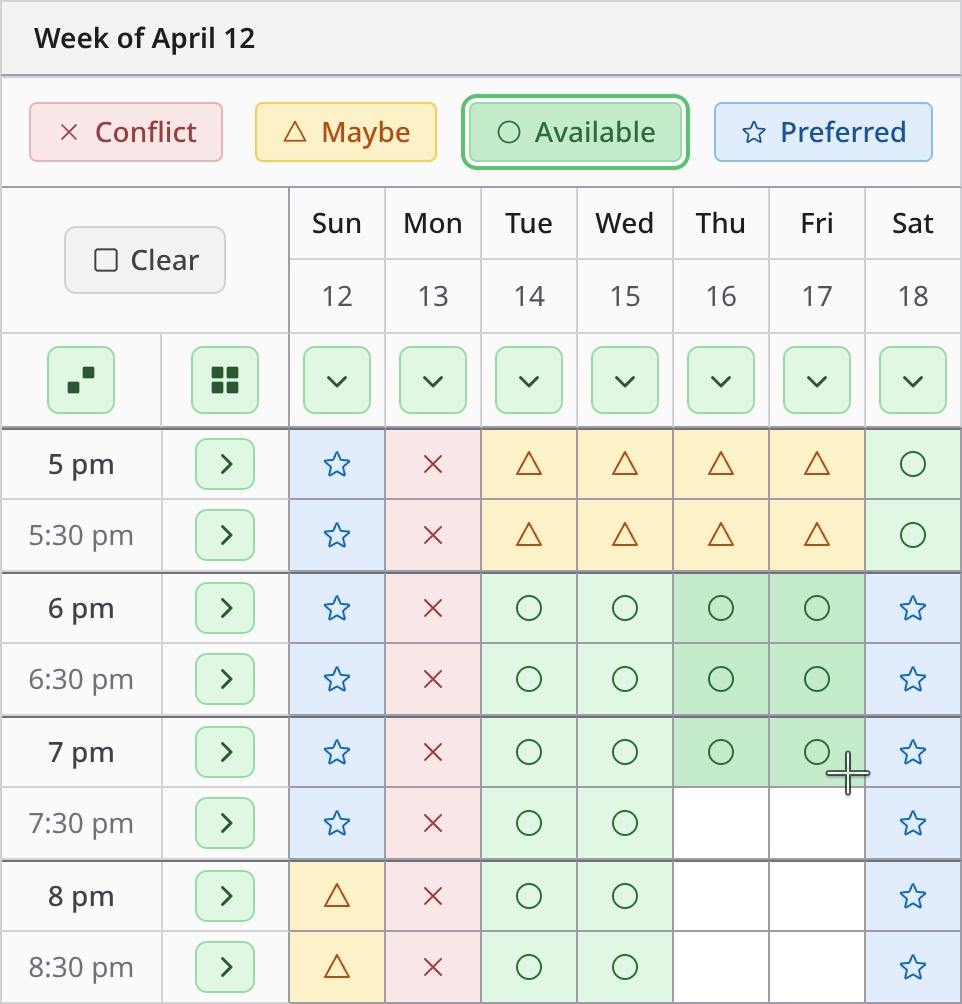
It's quick to fill in, too - most people finish a week's worth of slots in well under a minute. Try it out in a demo.
See everyone's availability at a glance
With Calendly Meeting Polls, once votes come in, you see a list of times ranked by vote count. It tells you which options got the most "yes" votes, but that's about it. You can't see the shape of the group's availability or spot near-misses that might work with a small adjustment.
ClearDate stacks every response into a single overlay. Instead of a ranked list you get the shape of the group's week - where availability piles up, where it thins out, and which times carry real enthusiasm rather than merely the most yes votes. No counting, no scrolling through a vote list.
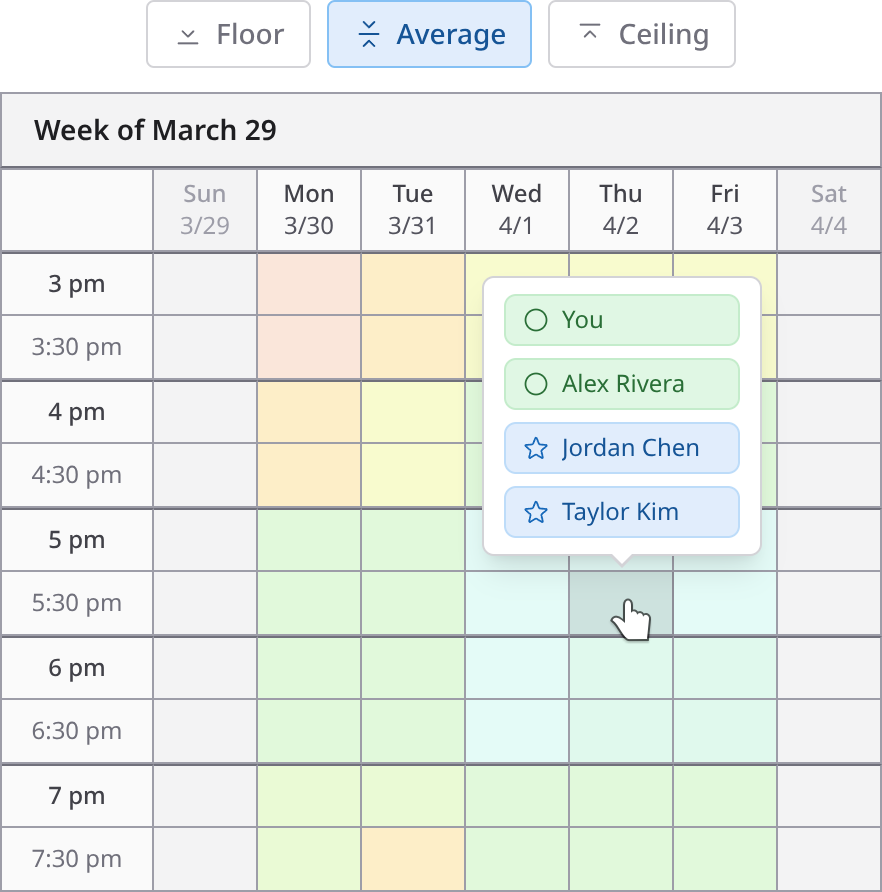
Because each response is a full picture rather than a yes or a no, you can read the result more than one way: hover a slot to see who said what, mute the optional attendees to see how the shape changes, or use the comparison modes to weigh plain consensus against genuine enthusiasm. Try it in a demo.
No subscription, and no ceiling on the grid
Calendly's free tier does include Meeting Polls, capped at 40 time slots and 40 participants, and you can't add slots once the poll is published. Paid plans start at $10 a month, but they're built around the booking side of the product - polls sit alongside it as a secondary feature rather than the thing the tool is designed around.
ClearDate has no plan to maintain between events: your first 3 events are free, then it's $2 per event, and guests always respond for free. See pricing →
You pay for what you use, when you use it. No monthly bill ticking away whether you schedule anything or not.
Built for groups, not just meetings
Calendly is designed for a professional context - sales meetings, client calls, team stand-ups. The experience is transactional by design: here's my calendar, pick a slot. That makes sense for business scheduling, but it doesn't fit every situation.
ClearDate is built for a wider range of coordination. Planning a group dinner, a book club meetup, a family reunion, or a weekend getaway? The experience feels collaborative and open - everyone shares their availability and preferences on equal footing, rather than one person dictating the options. It works just as well for professional contexts where you want a more inclusive approach, like finding a time for a cross-team workshop or a consultant's kick-off meeting.
When the goal is consensus rather than booking, the tool should feel like a conversation, not a form.
Invite by link, respond without an account
With Calendly, you share a link and people respond without signing up - that low-friction invite is a big part of why it caught on. ClearDate works the same way. Grab a single link and drop it wherever your group is already talking, pull people from your saved contacts, or add email addresses directly - and mix all three in the same event.
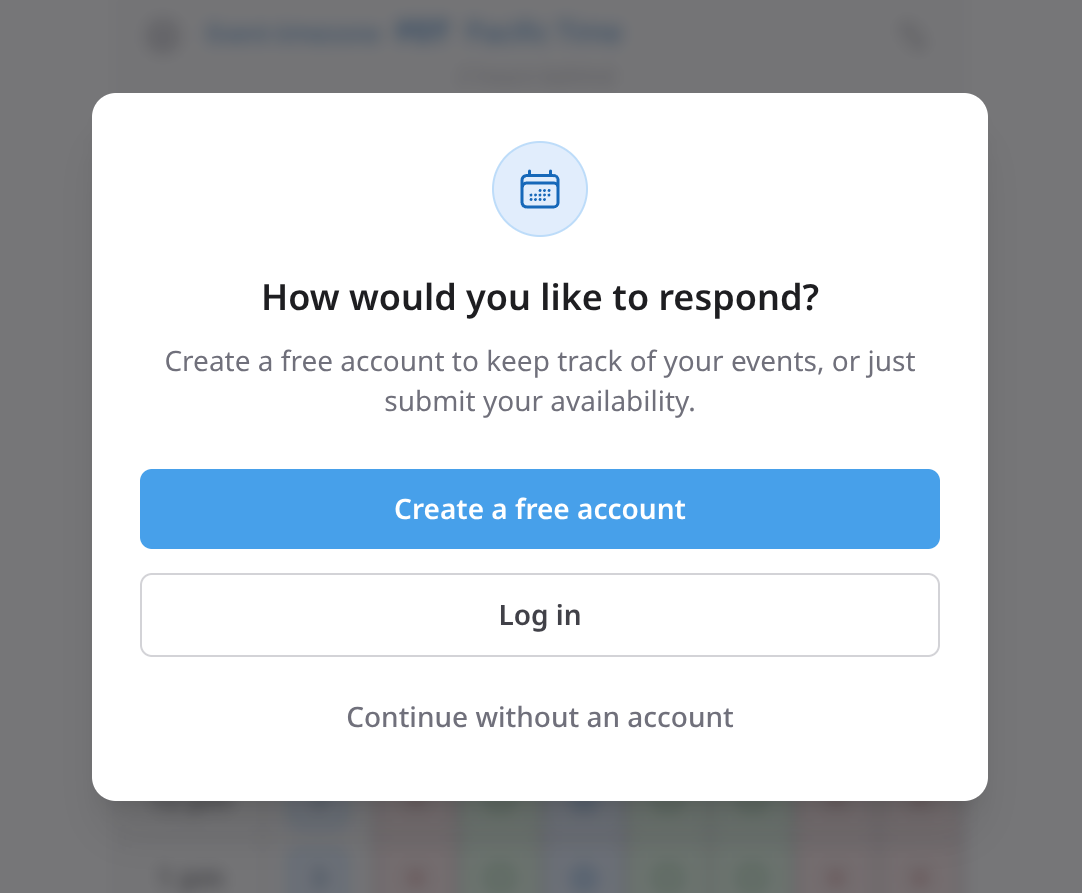
Anyone with the link can open it and fill in their availability without creating an account or installing anything. They just add their name so you know who responded. If they'd like an account to keep track of their events, that's there too - but it's never required.
When the reply comes back outside the poll
Send a Calendly poll to six people and at least one will answer you directly - "any day next week except Tuesday" - rather than clicking through and voting.
Calendly binds every response to the person who submits it, so there's no way to record that on their behalf. The poll keeps listing them as outstanding while their answer sits in your inbox, and the reconciliation stays in your head.
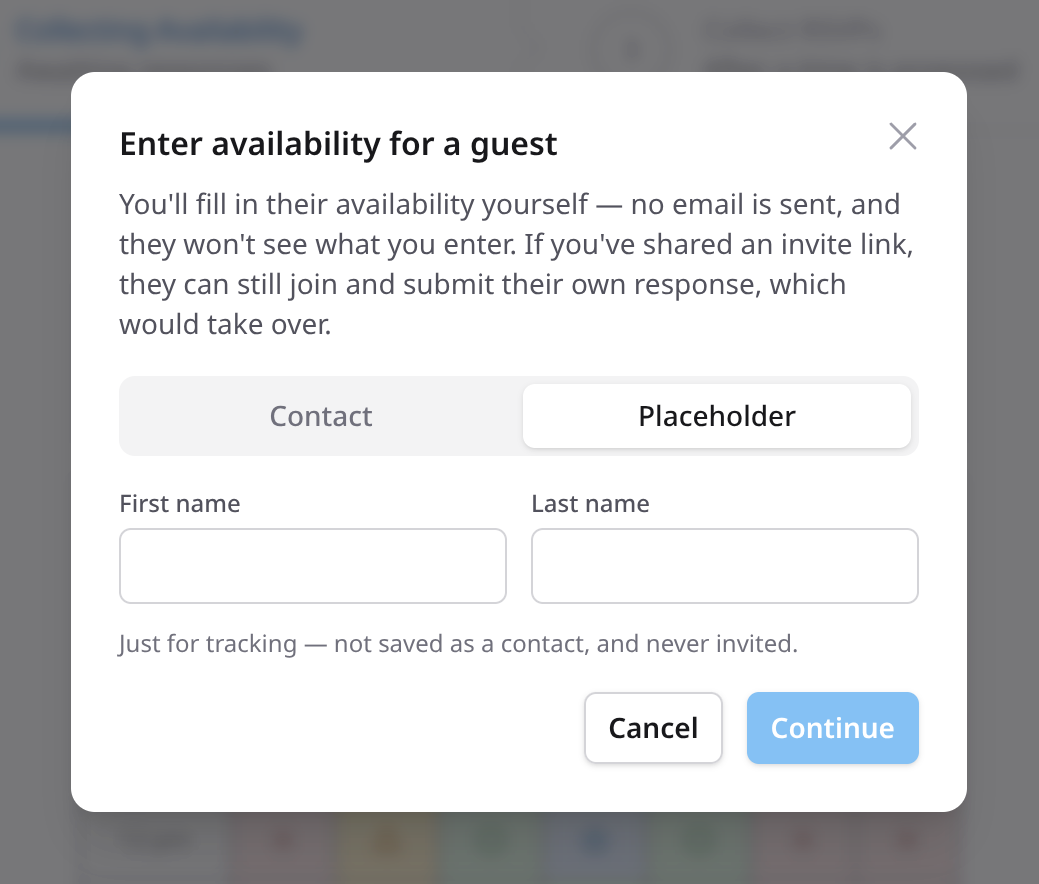
ClearDate lets you enter it for them. Add their name, color in what they told you, and save - their availability joins the grid, and the group's picture is actually complete.
At a glance
Calendly Meeting Polls
- Primary purpose
- 1:1 booking (polls secondary)
- How you respond
- Vote yes/no
- Preference levels
- 2
- Summary view
- Vote count list
- Display ads
- None
- Cost
- Free / $10+/mo
- Cost to respond
- Free
- Fill in for a guest
- No
- Time zones
- Supported
ClearDate
- Primary purpose
- Group date finding
- How you respond
- Paint your full availability
- Preference levels
- 4
- Summary view
- Visual overlay
- Display ads
- None
- Cost
- $2 per event
- Cost to respond
- Free
- Fill in for a guest
- Yes
- Time zones
- Event + personal toggle
Calendly details verified against Calendly's pricing page and help docs, August 2026.
How ClearDate works
A booking page starts from one person's calendar. ClearDate starts from the group's: set the dates worth considering, share one link, and let everyone color in what actually works for them. The overlap is the answer. See how it works, step by step →
Need to find a date, not book a slot?
Your first 3 events are free, then $2 each. No plan required.
Frequently asked questions
- ClearDate isn't a replacement for Calendly's 1:1 booking pages. It solves a different problem: finding a date that works for a group.
If you use Calendly for booking meetings but need something for group consensus - where everyone weighs in on when works best - ClearDate fills that gap.
- Calendly Meeting Polls let participants vote yes or no on proposed times. ClearDate takes a different approach: participants paint their full availability across all proposed dates and times using four preference levels.
The best option emerges from the actual data rather than from a simple vote count.
- No. Your first 3 events are completely free - no credit card required. After that, events cost $2 each on a pay-as-you-go basis. An unlimited subscription is available if you prefer, but it's never required.
Responding to an event is always free for guests.
- Participants mark each time slot as conflict, maybe, available, or preferred.
This gives the host a much richer picture than a yes/no vote - you can find the time the group is most excited about, not just a time that technically works.
- No. Anyone with the link can respond without an account and without installing anything - they just add their name so you know who replied.
If they'd like an account later to keep track of their own events, it's free and passwordless, but it's never required to answer yours.
- Yes. The availability grid is built to work on a phone, so a link you drop into a group thread works wherever people happen to open it - no app, no pinching and zooming.
- Yes. One link covers the whole group - drop it into the thread you're already in, and anyone with it can respond.
That's the real departure from a booking link, where each person picks a slot independently and you never see the group as a group. You can also invite by email or from your saved contacts when you have them.
- Fill their availability in yourself - add their name, color in the slots they told you about, and save.
A Calendly poll ties every response to the person who submits it, so there's no way to answer on someone's behalf: their reply sits in your inbox while the poll still shows them as missing.
- Yes. The event carries its own time zone, chosen from a list that spans the globe, and each person can view it in their own local time instead.
Calendly handles time zones well for booking a single slot; ClearDate applies the same idea across a whole grid of options at once.