
See clearly
Get everyone's availability. Effortlessly.
Despite all the technology around us, getting a group together still takes far too many messages to find a time that works for everyone. ClearDate is here to fix that.
How it works
-
Create your event
Choose the range of dates and times worth considering, then color in your own availability to get things started.
-
Invite your group
Share a single link or invite by email. Guests can respond without an account, and you can add more people any time.
-
Everyone colors in their availability
Each person marks every slot as Conflict, Maybe, Available, or Preferred. It's far richer than a plain yes or no.
-
See the best time at a glance
ClearDate overlays everyone's responses on a single grid. Look at when the whole group is free, the overall sentiment, or where the most enthusiasm is, and narrow the view to just the people who have to be there.
-
Propose it and collect RSVPs
Pick the winning time and send it out. Guests reply yes, probably, maybe, or no, and you watch the responses land in real time.
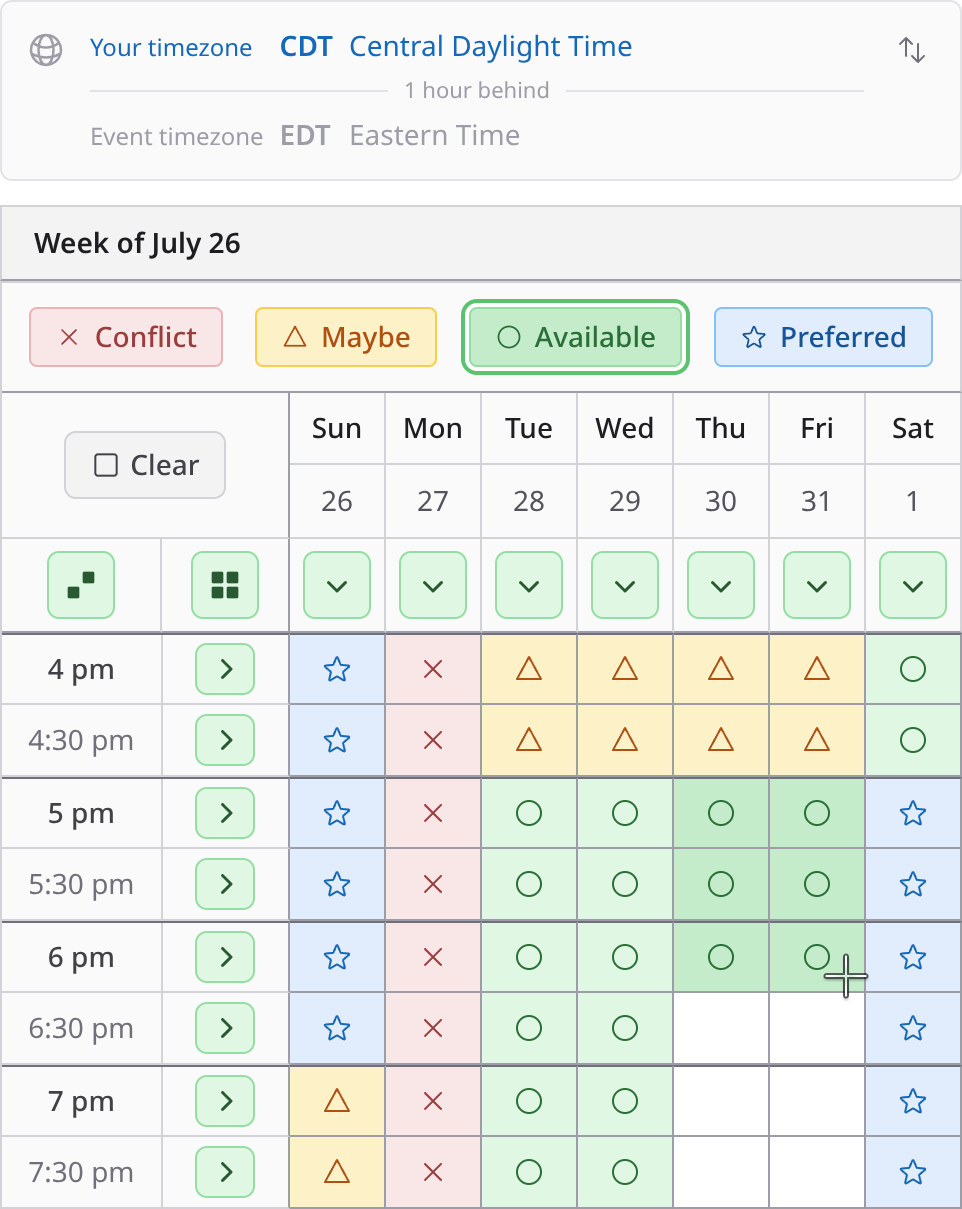
Color it in fast
Drag across an area to fill several slots at once, fill a whole row or column with one click, or fill everything that's left in one go. A week of availability takes about as long as replying to the text that asked for it.
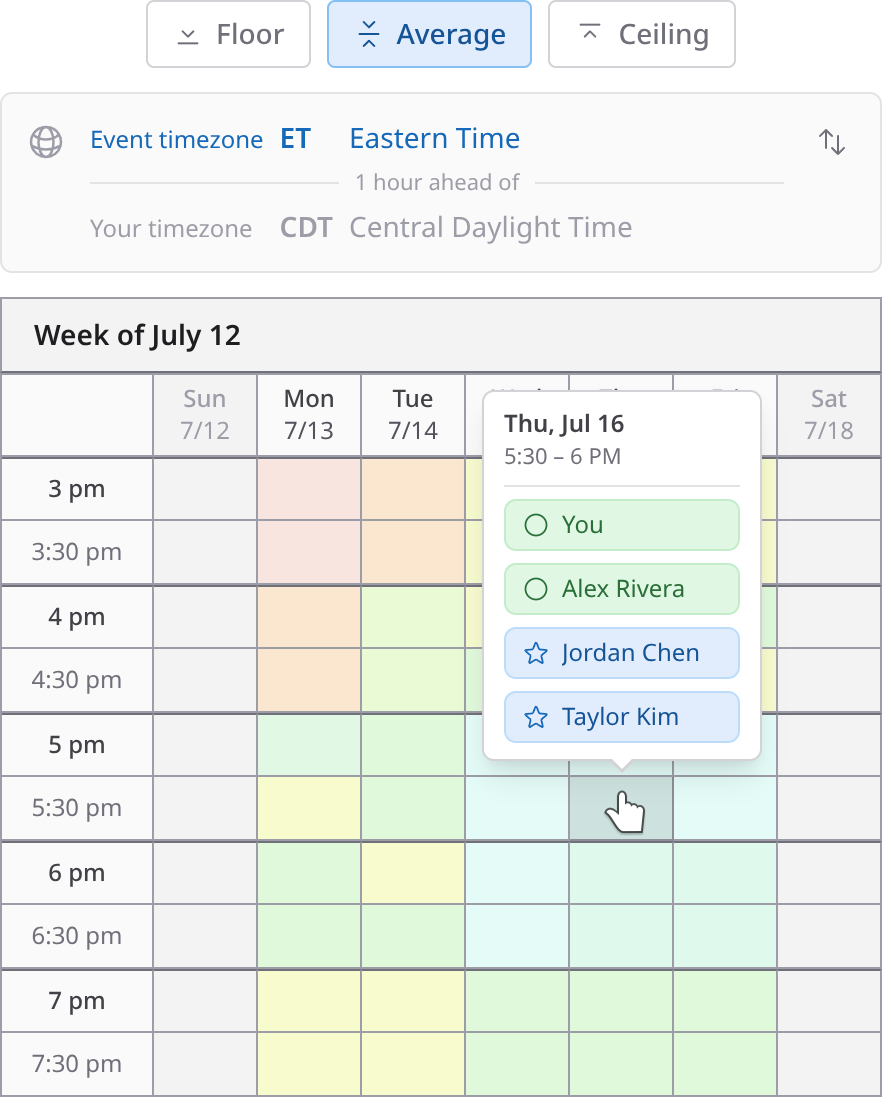
Read the group three ways
Switch the overlay between three comparison modes. Floor shows the most restrictive response for each slot, so you see the times that genuinely work for everyone. Average blends the whole group into overall sentiment. Ceiling surfaces the most enthusiastic response, for when you want the time people actually want - not just the one nobody objected to.
Everything you need
More than a poll. A tool for the whole gathering.
- Built for real groups
- Getting everyone in one place should be the easy part.
- Invite by shareable link, email, or saved contacts
- Guests can respond without an account
- Add more people any time
- Fill in availability for someone who won't respond
- Fits how people actually schedule
- Capture the nuance a plain yes or no leaves out.
- Four levels of availability, from conflict to preferred
- Drag to fill several slots at once, or a whole row in one click
- Full days or specific time slots
- Any time zone, shown clearly to each person
- In-person or virtual events
- Always in the loop
- Know where things stand without chasing anyone.
- Real-time updates the moment someone responds
- A notification inbox with full history
- Email for the moments that matter most
- A dashboard of what needs your attention
- Calm, private, and ad-free
- A tool that respects you and your guests.
- No ads, at any tier
- Passwordless sign-in
- Guests never see each other's responses
- Privacy-first analytics with no cookies
No ads. No subscription required.
Most scheduling tools are either crammed with ads or locked behind a monthly fee. ClearDate is neither. Your first three events are free, then it's just a couple of dollars per event as you go. Schedule often? An unlimited plan has you covered.
See how ClearDate compares.
Curious how we stack up against the tools you already know? See ClearDate side by side with Doodle, When2meet, Calendly, and Rallly.