
ClearDate vs When2meet
A modern, mobile-friendly alternative for finding a date that works for everyone.
When2meet has earned its reputation. It's free, it's simple, and it gets the job done - millions of people use it every month to coordinate group schedules. But its interface hasn't changed much since it launched, it's difficult to use on a phone, and it only captures binary availability. ClearDate builds on the same core idea - painting your availability on a grid - with a modern design, richer preference expression, and a polished experience you'd be comfortable sharing with anyone.
A modern, mobile-friendly experience
When2meet's interface is functional, but it shows its age. The grid cells are small and hard to tap on a phone, there's no responsive layout, and the overall experience feels like a tool from a different era of the web. If half your group is responding from their phone (which they probably are), it's a real pain.
ClearDate is designed to work well on any screen. The availability grid is responsive, it supports touchscreens, and the interface feels like a modern app you'd actually enjoy using. When you send a ClearDate link to your group, it works smoothly on whatever device they happen to pick up. And if it's specifically the dated interface that has you looking at alternatives like LettuceMeet, that grid has its own comparison page.
Preferences, not just availability
When2meet captures one thing: whether you're available or not. That's useful, but it misses a lot of nuance. There's a big difference between "I can make it work if I really have to" and "this is when I'd actually like to meet". That difference matters when you're trying to pick the best option, not just a workable one.
ClearDate records four levels rather than two: conflict, maybe, available, and preferred. This gives the host a much richer picture to work with. Instead of just finding a time that doesn't conflict with anyone's schedule, you can find the time the group is most excited about.
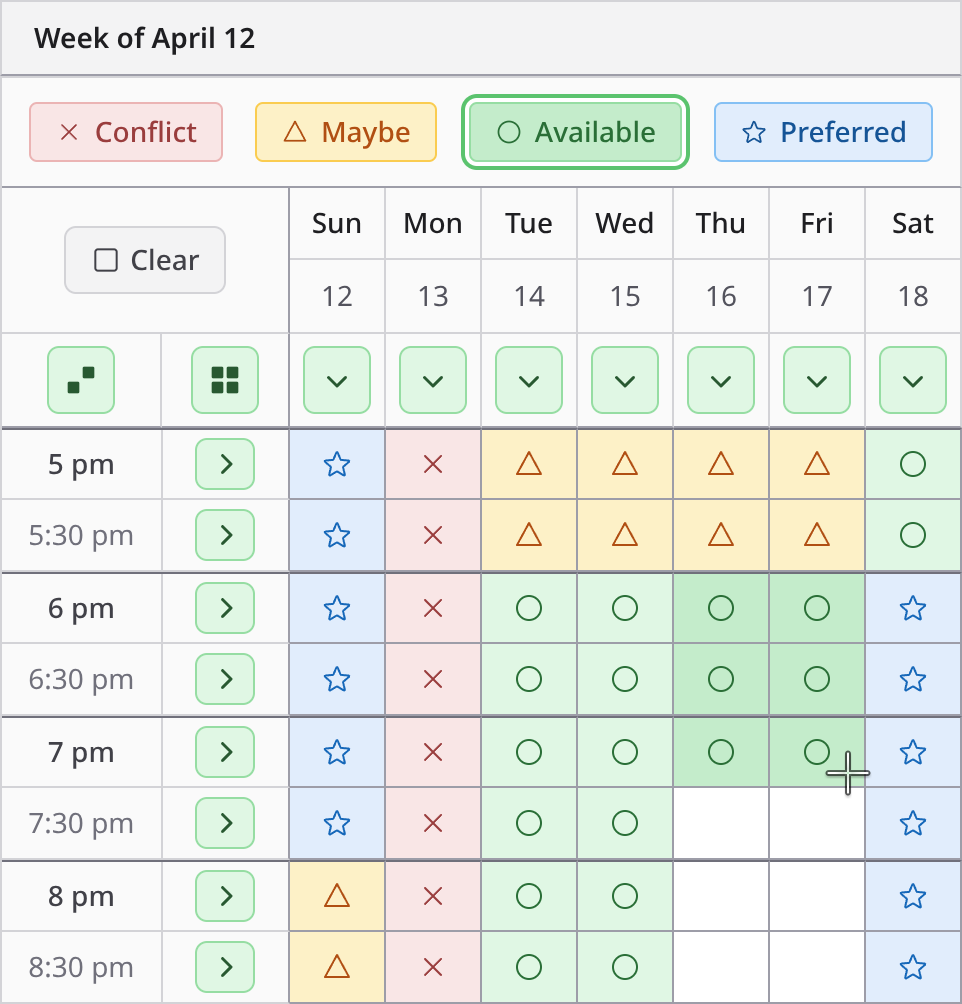
Filling it in is quick, and it works the same with a thumb on a phone as it does with a mouse. Try it out in a demo.
See the full picture at a glance
When2meet shows a green heatmap that darkens as more people mark a time as available. It's a helpful visual, but it only captures one dimension: how many people said yes. There's no way to distinguish between times where everyone begrudgingly said "I guess I'm free" and times where people are genuinely enthusiastic.
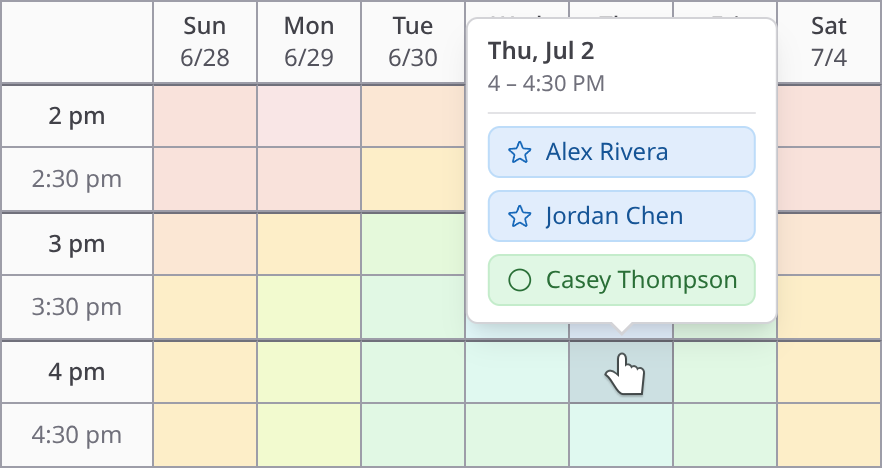
ClearDate's overlay view aggregates all four preference levels into a rich visual summary. You can immediately see not just where the group can meet, but where they want to meet. Hover over any slot to see exactly who said what, and toggle individual participants on and off.
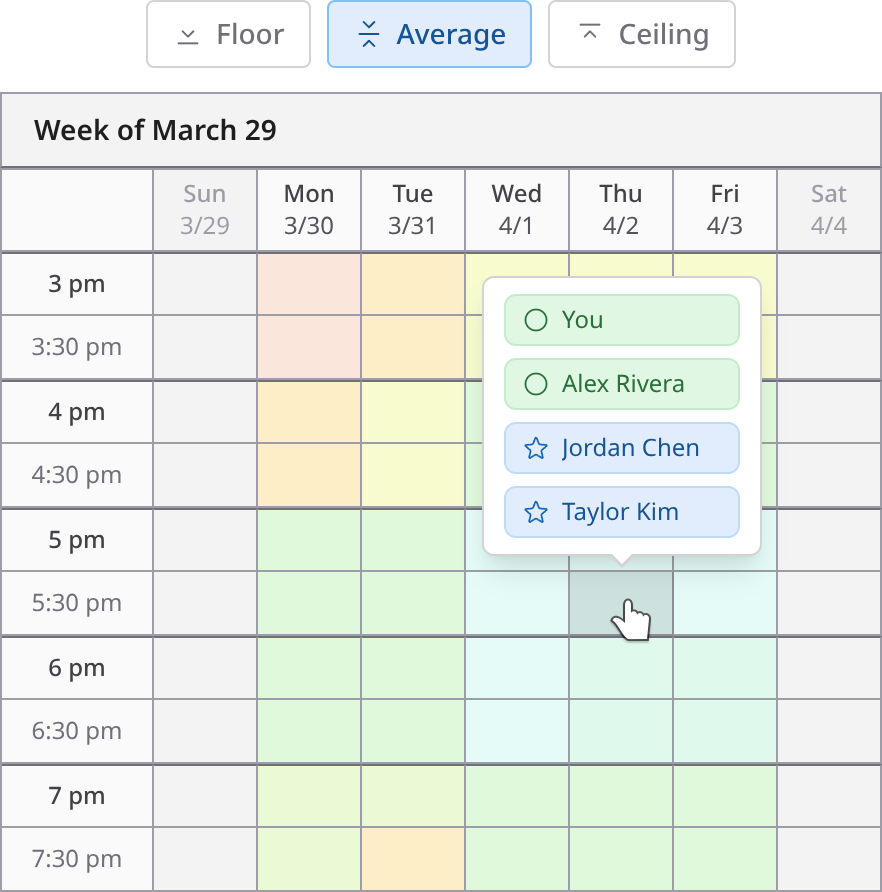
A heatmap can only get darker. Because ClearDate keeps all four levels, the same grid can be read as strict overlap, as overall sentiment, or as where the enthusiasm sits - that's what the comparison modes do. Try it in a demo.
No ads, no donate buttons
When2meet is free, and that's genuinely great. But the trade-off is display ads and a conspicuous donate form on every page. When you send a When2meet link to your group, ads are part of the experience they see.
ClearDate is ad-free with nothing to donate to: your first 3 events are free, then it's $2 per event, and responding never costs your guests anything. See pricing →
No account needed - and accounts when you want them
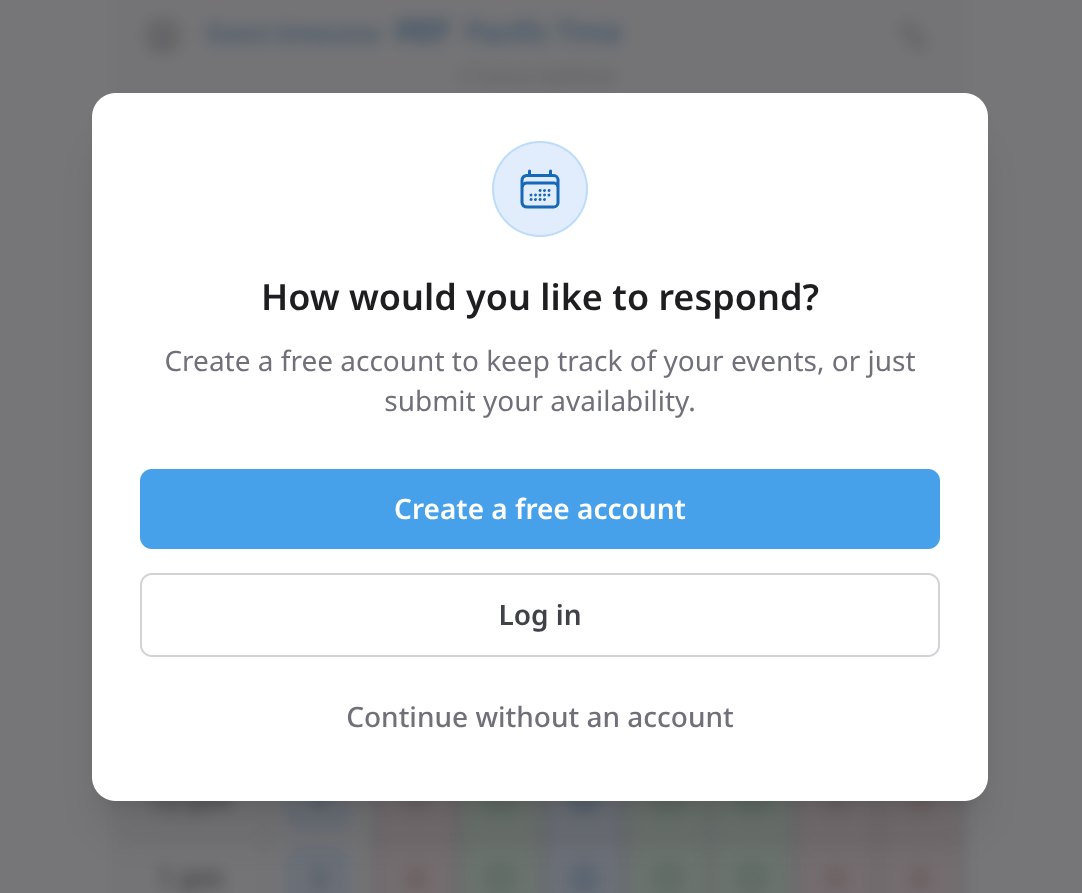
One of the best things about When2meet is that there's nothing to sign up for - you create an event, share the link, and everyone just fills in their availability. ClearDate keeps that exact simplicity. Share a single link wherever your group already is, and anyone with it can respond without creating an account. They just add their name so you know who replied.
The difference is what's there when you want more. With When2meet, once you close the tab, finding your event again means digging through your messages for the link - there's no history, no contact list, nothing saved. With ClearDate you can optionally create a lightweight account - just an email, no password - that keeps your events organized in one place, remembers your contacts, and lets you pick up right where you left off. You get the no-login simplicity and the option of something more durable.
Something you'd be proud to send
When2meet is a great tool among friends who don't mind a utilitarian interface. But when you're coordinating with colleagues, clients, or extended family, the link you send says something about you. A cluttered page with ads and a 2005-era design isn't always the impression you want to make.
ClearDate is designed to feel professional and polished - something you'd send to a client or a new acquaintance without a second thought. Clean design, no ads, secure accounts, and a modern experience that reflects well on the person who sent it.
The one who texts you instead of using the grid
Every group has one. You send the link, and they answer in the group chat instead: "I'm free any day next week except Tuesday."
With When2meet there's nothing you can do with that. There is no participant list to add anyone to, so someone who never opens the link never appears on the grid - and their availability lives only in a thread you have to keep scrolling back through.
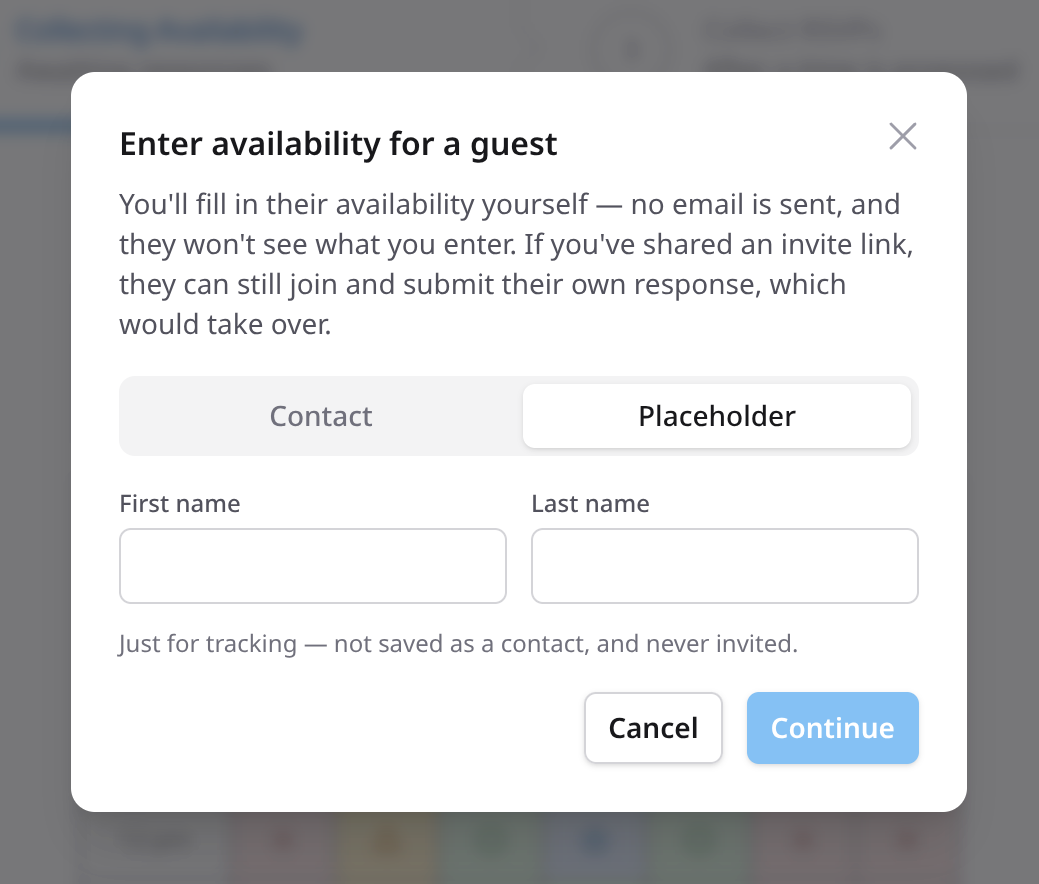
ClearDate lets you add them yourself. Type their name, color in the slots they gave you, and save. They're on the grid with everyone else, and nothing is left stranded in the chat.
Time zones without the mental math
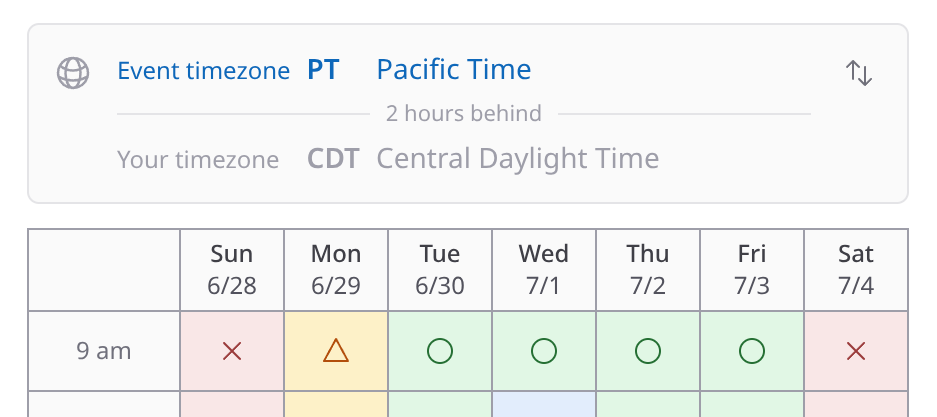
When your group is spread across the country, time zones are where scheduling quietly goes wrong - the same 3 p.m. means something different to everyone, and one misread row can throw off the whole plan.
ClearDate is built for it. Every event has its own timezone, chosen from a list that spans the globe, and from there anyone looking at the event can switch between the event's timezone and their own local time. When2meet shows each person their own local time, but without a shared event timezone to anchor to, it's easy to lose track of which time the event actually is - ClearDate keeps both in view, so there's no mental math and far fewer "wait, what time is that for me?" replies.
At a glance
When2meet
- Preference levels
- 2
- Mobile experience
- Not optimized
- Ads and donations
- Yes
- Cost to host
- Free (with ads)
- Cost to respond
- Free (with ads)
- User accounts
- None
- Event history
- None
- Fill in for a guest
- No
- Time zones
- Local time only
ClearDate
- Preference levels
- 4
- Mobile experience
- Responsive, touch-friendly
- Ads and donations
- None
- Cost to host
- $2 per event
- Cost to respond
- Free
- User accounts
- Yes (email-only)
- Event history
- Full history
- Fill in for a guest
- Yes
- Time zones
- Event + personal toggle
When2meet details verified against when2meet.com, August 2026.
How ClearDate works
If you've used When2meet, you already know the shape of this: pick the dates worth considering, send one link, everyone paints their availability. ClearDate keeps that and adds the parts When2meet leaves out - four levels instead of two, a grid that behaves on a phone, and your events still there tomorrow. See how it works, step by step →
The same grid, with a lot more signal
No ads, no donate button. Your first 3 events are free.
Frequently asked questions
- Your first 3 events are completely free - no credit card required. After that, events cost $2 each on a pay-as-you-go basis. There are no ads and no donate buttons.
Responding to an event is always free for guests.
- Both tools use a grid where participants paint their availability. ClearDate improves on the concept with four preference levels instead of binary available/unavailable, a modern mobile-friendly design, a richer host-side summary view, secure accounts with event history, and no ads.
- Yes. Unlike When2meet, ClearDate is designed to be responsive and touch-friendly on any screen size. The availability grid adapts to phones and tablets, so your guests can respond comfortably on whatever device they have.
- Participants mark each time slot as conflict, maybe, available, or preferred.
Where When2meet only captures whether someone is available or not, ClearDate captures the difference between "I can make it work" and "that's my ideal time" - which helps the host pick the best option, not just a workable one.
- No. Anyone can respond from a shared link without creating an account, just like When2meet - they add their name so you know who replied.
The difference: if a guest wants an account to keep their events organized, ClearDate offers a lightweight one (just an email, no password), where When2meet has none at all.
- Your first 3 events are free. After that, events cost $2 each using pay-as-you-go credits. Guests always respond for free.
If you schedule events frequently, an unlimited subscription is available for $10/month or $100/year.
- No. As with When2meet, you can share a single link and anyone who has it can respond.
Unlike When2meet, you also have the option of inviting by email or pulling people from your saved contacts when that's easier, and you can mix both approaches in the same event.
- You can enter it for them. When2meet has no way to do this - there's no participant list to add anyone to - so the person who texts you their availability instead of using the grid simply never appears on it.
In ClearDate you add their name, color in what they told you, and they show up alongside everyone else.
- Yes, and it's one of the clearer differences between the two. When2meet renders everything in each viewer's own local time with no shared event time zone to anchor to, which makes it easy to lose track of what time the event actually is.
ClearDate gives the event its own time zone and lets each person toggle to local time, so both are always in view.